





To add stickers to a photo on iPhone, open the photo in the Photos app or a third-party app like Markup, then tap the sticker icon and select from available stickers. You can also use the Notes app or dedicated sticker apps for more options.
Adding Stickers Using the Photos App
Step-by-Step Guide
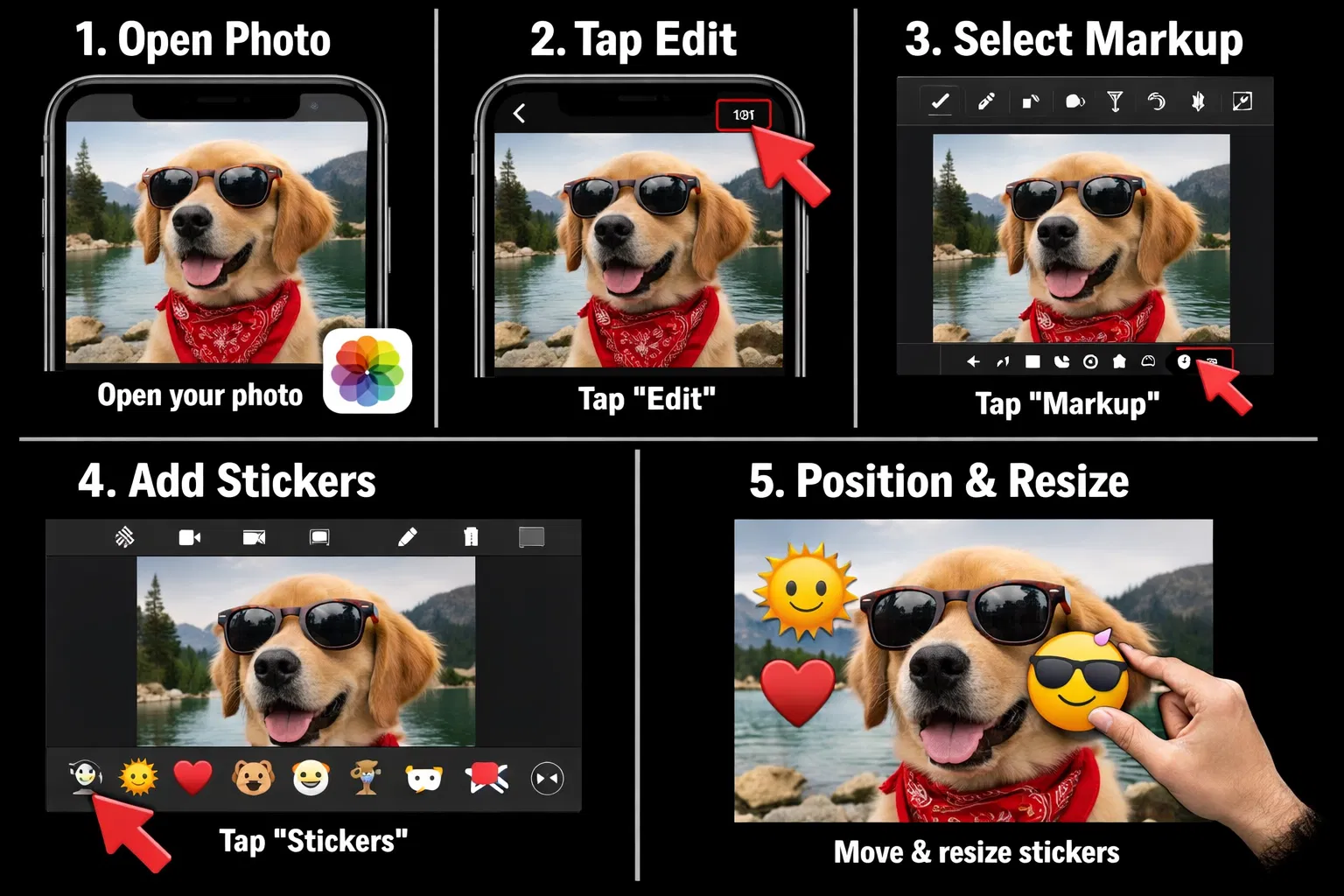
- Open the Photos app on your iPhone
- Select the photo you want to edit
- Tap Edit in the top-right corner
- Tap the More button (three dots)
- Select Markup
- Tap the + icon at the bottom
- Choose Stickers from the menu
- Browse and select your desired sticker
- Resize and position the sticker on your photo
- Tap Done to save
Types of Stickers Available
Built-in Stickers
iOS includes a variety of built-in stickers:
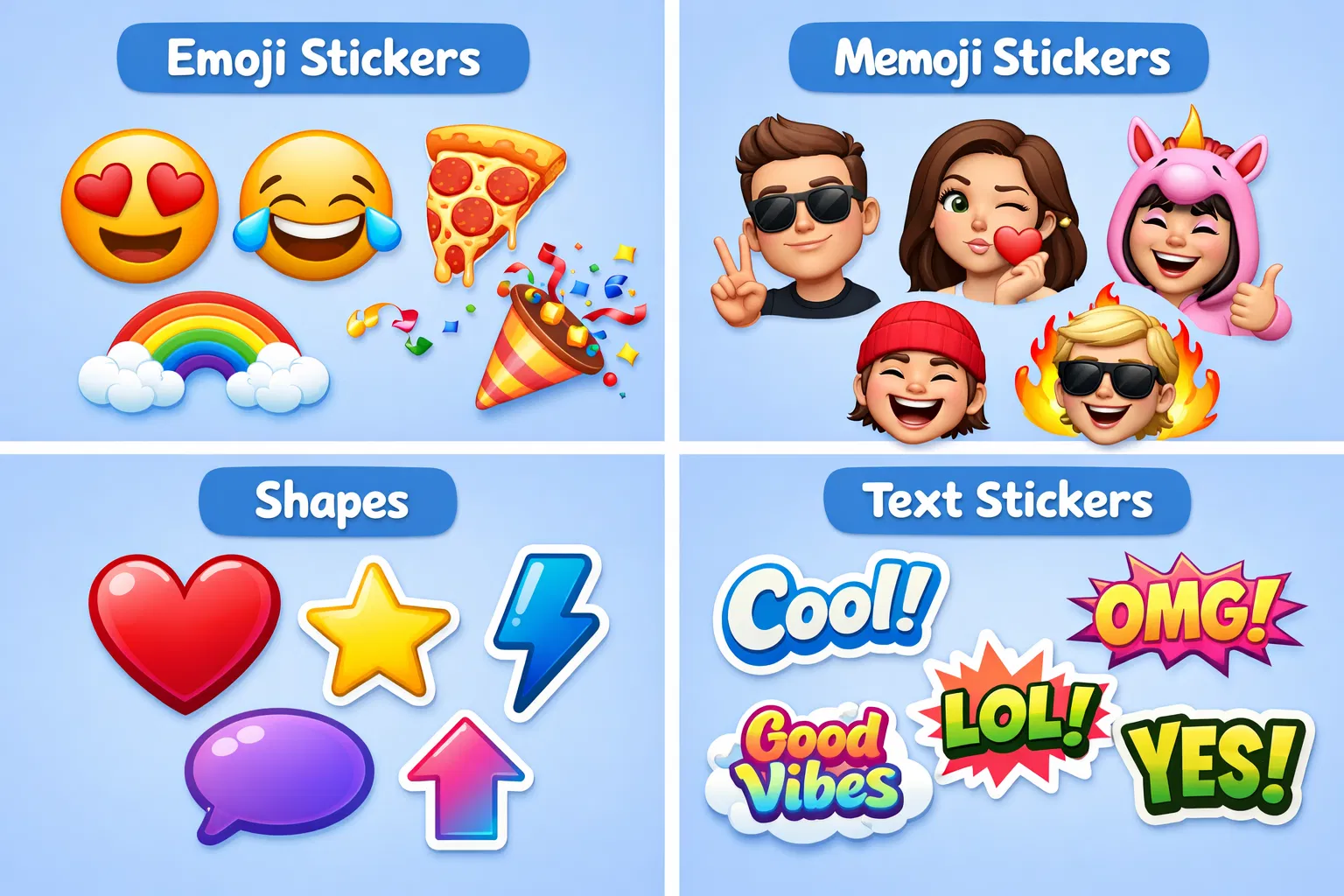
- Emoji stickers
- Memoji stickers (personalized avatars)
- Shapes and symbols
- Text stickers
App Store Sticker Packs
You can download additional sticker packs from the App Store:
- Sticker Maker Studio
- Sticker.ly
- Unfolder
- Canva
Using Third-Party Apps for Stickers
Popular Sticker Apps
Canva: Offers thousands of stickers, templates, and design tools
PicsArt: Provides stickers, filters, and advanced editing features
Unfolder: Specializes in sticker collections and photo organization
Tips for Adding Stickers
Positioning
Drag stickers to position them exactly where you want. Use two fingers to rotate stickers for better placement.
Resizing
Pinch to zoom in or out to resize stickers. Make sure stickers are proportional to your photo.
Layering
Add multiple stickers to create a fun composition. Overlap stickers for creative effects.
FAQ: Adding Stickers to iPhone Photos
Can I create custom stickers?
Yes, you can create custom stickers using apps like Sticker Maker Studio or Canva. You can also convert your own drawings or images into stickers.
Are sticker apps free?
Most sticker apps are free with in-app purchases for premium sticker packs. Some apps offer free stickers with ads.