

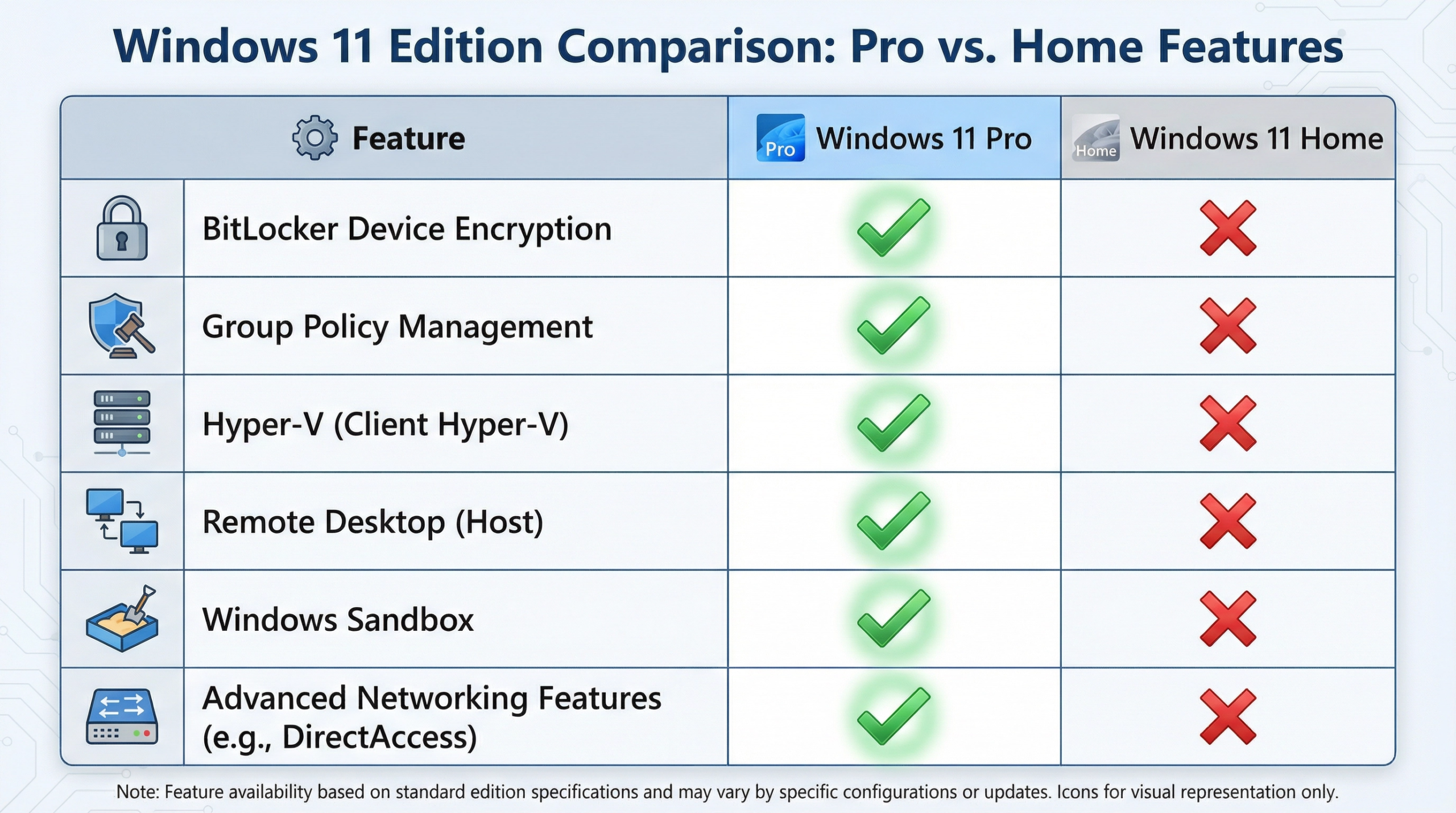
Windows 11 Pro represents a significant evolution in professional operating systems, offering features specifically designed for business users, developers, and power users. While many users are aware of basic Windows 11 features, numerous advanced capabilities remain underutilized. This comprehensive guide explores the essential Windows 11 Pro features that professionals should leverage to maximize productivity, security, and system management.
Understanding Windows 11 Pro’s Professional Advantages
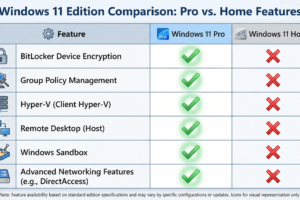
Windows 11 Pro builds upon the Windows 11 Home foundation with additional features targeting professional users. These features include enhanced security capabilities, advanced system management tools, remote access functionality, and virtualization support. The distinction between Windows 11 Home and Pro becomes increasingly important as professionals demand more control over their systems and enhanced security features. Understanding which features matter for your specific professional needs helps justify the upgrade investment and ensures you’re leveraging your operating system effectively.
BitLocker Encryption for Data Protection
BitLocker is one of Windows 11 Pro’s most powerful security features, yet many users remain unaware of its capabilities. BitLocker encrypts your entire hard drive, protecting data even if your device is stolen or compromised. For professionals handling sensitive information, confidential client data, or proprietary business information, BitLocker provides essential protection. Enabling BitLocker is straightforward—access it through Settings > System > Device Encryption or use the BitLocker management console. The encryption process runs in the background without significantly impacting system performance, providing transparent security for your data.
Group Policy Editor for Advanced System Control
The Group Policy Editor (gpedit.msc) provides granular control over Windows 11 system settings and security policies. Windows 11 Pro includes full Group Policy support, while Home edition lacks this feature. Professionals can configure security policies, restrict user access to specific features, manage network settings, and customize system behavior at a granular level. The Group Policy Editor enables IT administrators to enforce organizational security standards across multiple computers. Common configurations include disabling unnecessary services, restricting USB access, configuring firewall rules, and managing software installation permissions.
Hyper-V Virtualization Technology
Hyper-V, Microsoft’s virtualization platform, is included in Windows 11 Pro, enabling professionals to run virtual machines directly on their computers. This feature is invaluable for developers testing software across different operating systems, IT professionals managing multiple server environments, and security researchers analyzing malware in isolated environments. Hyper-V provides near-native performance for virtual machines while maintaining strong isolation between the host system and virtual machines. Setting up virtual machines with Hyper-V is relatively straightforward, and the capability to run multiple operating systems simultaneously significantly enhances professional flexibility.
Remote Desktop Protocol for Secure Remote Access
Windows 11 Pro includes Remote Desktop functionality, allowing secure remote access to your computer from other devices. This feature is essential for professionals working remotely or requiring access to their office computers from home. Remote Desktop provides encrypted connections, ensuring data transmitted between your local device and remote computer remains secure. The feature supports multiple monitors, audio streaming, and peripheral redirection, providing a seamless remote work experience. Enabling Remote Desktop requires only a few configuration steps, and the security implications are minimal when properly configured with strong passwords and network security measures.
Windows Sandbox for Safe Testing
Windows Sandbox creates an isolated environment where you can test potentially risky applications or documents without affecting your main system. This feature is particularly valuable for professionals who frequently receive documents from untrusted sources or need to test software before deploying it organization-wide. Windows Sandbox automatically discards all changes when closed, ensuring your main system remains unaffected by anything that occurs in the sandbox. This capability provides a safety net for professional work involving unknown or potentially malicious files.
Advanced Networking Features
Windows 11 Pro includes advanced networking capabilities essential for professional environments. These include VPN client support for secure remote connections, advanced firewall configuration options, and network policy management. Professionals can configure multiple network profiles, each with specific security settings and resource access permissions. The advanced networking features enable seamless integration with corporate networks, secure remote access to company resources, and protection against unauthorized network access. Understanding and properly configuring these features is essential for professionals working in security-sensitive environments.
Windows Update for Business
Windows 11 Pro includes Windows Update for Business, providing organizations with granular control over update deployment. Rather than receiving updates immediately when Microsoft releases them, organizations can defer updates, test them in controlled environments, and deploy them on schedules that minimize disruption. This feature is crucial for organizations where system downtime directly impacts business operations. Windows Update for Business enables IT administrators to balance security with operational stability, ensuring critical security patches deploy promptly while non-critical updates follow a more measured deployment schedule.
Credential Guard for Enhanced Authentication Security
Credential Guard uses hardware-based security features to protect authentication credentials from theft. This feature is particularly important for professionals using domain-joined computers in corporate environments. Credential Guard isolates credential storage in a separate secure environment, making it significantly more difficult for attackers to steal passwords and authentication tokens. Enabling Credential Guard requires compatible hardware and appropriate BIOS configuration, but the security benefits justify the implementation effort for organizations handling sensitive data.
Storage Spaces for Advanced Data Management
Storage Spaces allows professionals to create virtual storage pools from multiple physical drives, providing redundancy and improved data availability. This feature is valuable for professionals working with large datasets or requiring high availability for critical data. Storage Spaces can automatically repair data if a drive fails, ensuring continuous access to important files. While not replacing dedicated backup solutions, Storage Spaces provides an additional layer of data protection for professional environments.
Conclusion
Windows 11 Pro offers numerous features specifically designed for professional users, but many remain underutilized. BitLocker encryption, Group Policy Editor, Hyper-V virtualization, Remote Desktop, Windows Sandbox, advanced networking, Windows Update for Business, Credential Guard, and Storage Spaces collectively provide comprehensive tools for professional productivity and security. Professionals who understand and leverage these features gain significant advantages in productivity, security, and system management. Investing time in learning these capabilities pays dividends through improved efficiency, stronger security posture, and greater system control.